Gmail 簽名檔設定
設定步驟
- 開啟 Gmail
- 點選右上角的齒輪圖示 ⚙️
- 選擇「查看所有設定」
- 向下捲動頁面,找到「簽名」並選擇「建立新簽名」
- 替新簽名命名再點選建立
- 輸入簽名檔文字
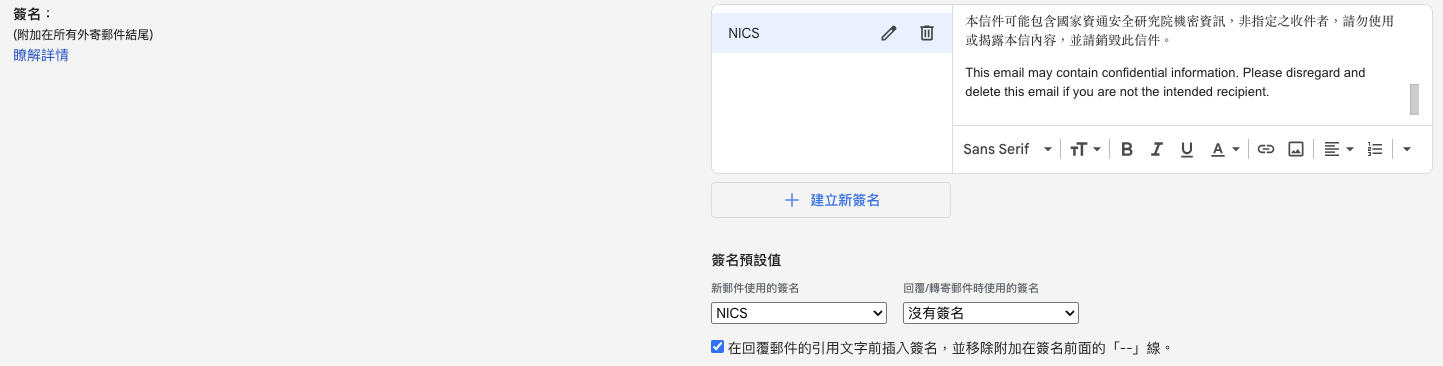
- 向下捲動頁面,點選「儲存變更」按鈕。
簽名檔範本
Best,

張杜
John Doe
國家資通安全研究院
National Institute of Cyber Security
TEL: 886-2-6631-8964
本信件可能包含國家資通安全研究院機密資訊,非指定之收件者,請勿使用或揭露本信內容,並請銷毀此信件。
This email may contain confidential information. Please disregard and delete this email if you are not the intended recipient.